Описание
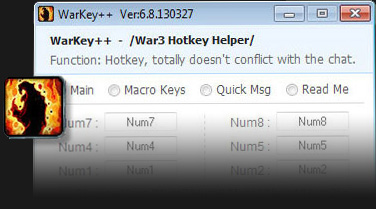
Warkey — приложение, переназначающее горячие клавиши в Dota Allstars, разработанное китайским программистом для Варкрафт 3. Не существует перевода Варкей на русский язык, не беспокойтесь, интерфейс программы настолько интуитивно устроен, что даже с английской версией легко разобраться любому пользователю, а ниже приведена подробная инструкция по работе Варкейс и описание каждой функции.
Начиная с Warkey 6.8 осуществляется поддержка Windows 8, а с обновления 7.0 — Windows 10, поэтому свободно устанавливайте приложение на любую операционную систему. Варкей поддерживает версии Warcraft 3: Frozen Throne начиная с 1.20 и заканчивая 1.27.
Многие антивирусы блокируют работу Warkey, при первом запуске Варкей использует рекламное всплывающее окно и Dll инъекцию, как большинство похожего софта для Варкрафт 3. Подобное поведение может расцениваться защитным ПО как подозрительное, поэтому не бойтесь добавлять приложение в список исключений.
Password-find-plc — Siemens S7-keys7-v314-
: Bypassing OEM protections using unauthorized software may void equipment warranties and violate site cybersecurity compliance guidelines. 3. Step-by-Step Manual Password Recovery Methods
PLCs. Siemens has improved security in these lines by using hashed passwords and hardcoded cryptographic keys, making simple "finding" tools obsolete. User Consensus : Reviewers on community forums like
Restricts the ability to read or write to the entire PLC CPU via hardware configuration settings.
Researchers have reverse-engineered the KeyS7 algorithm (publicly documented by Dmitry Efanov, Dmitry S. Silnov, and others). Key findings: password-find-plc siemens s7-keys7-v314-
Mitigations and hardening guidance
Locks individual software blocks (Functions FC , Function Blocks FB , and Organization Blocks OB ). This shields algorithmic proprietary logic while allowing the machine to execute normally.
For S7-200 and S7-200CN, the protection scheme expands to four levels. Levels 1 through 3 are similar, but adds a critical restriction: even with a correct password, the program cannot be uploaded, effectively locking the intellectual property inside the CPU. : Bypassing OEM protections using unauthorized software may
Blocks read, write, and modification actions completely.
Check the settings under the CPU properties in the Network or Device view.
: Securely document all passwords in a company password manager or physical vault. Siemens has improved security in these lines by
: Restricts access to specific code blocks (OBs, FBs, FCs, or DBs) within the SIMATIC Manager project, making the underlying code invisible or read-only.
Select your CPU, choose , and browse to Protection & Security . Modify or remove the access security string entirely.
Siemens S7 PLCs are widely deployed in critical infrastructure sectors, including energy, manufacturing, and water treatment. The transition from isolated industrial networks to interconnected IT/OT environments has exposed these devices to new threat vectors. Understanding the internal workings of their communication protocols and memory protection schemes is essential for asset owners tasked with maintaining operational integrity.